
Overlays place editable text, images, or video above the visu without changing its underlying code. They are useful for information and media that should remain independent from the generative system.
Add text#
Use a text overlay for headlines, dates, credits, captions, labels, or other copy that does not need to participate in the visu's internal motion. Edit the text, font, weight, size, line height, tracking, alignment, color, position, scale, rotation, opacity, and blend mode when those options are available.
Test the longest expected content and every target ratio. If the typography must bend, fragment, react, or animate as part of the visual system, build it into the visu instead of keeping it as an overlay.
Add an image or video#
Use a media overlay for a logo, frame, watermark, texture, reference mark, or footage that needs independent placement. Check its crop or fit, transparency, playback, opacity, blend mode, rotation, and position.
An overlay is not the same as a visu asset. Use an asset field when the media must drive the generative system or be replaceable through the main controls panel.
Arrange the layer order#
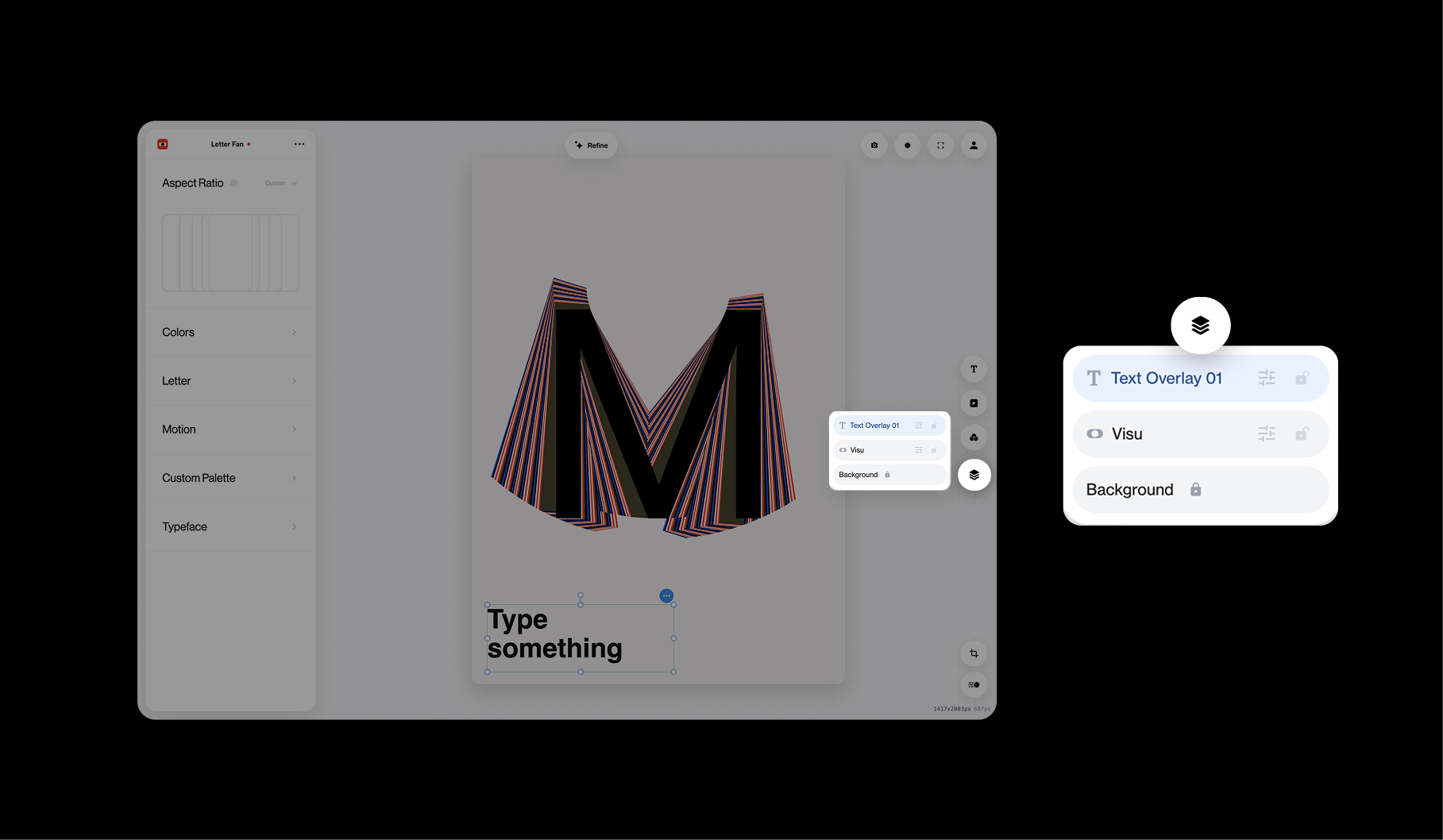
Open Layers from the stacked-layers icon. The rows run from front to back: the first row appears above the rows below it. In the example, Text Overlay 01 sits above the Visu, while Background remains at the bottom.
Drag an unlocked row to change the order. Select its adjustment control to edit that element, and use the lock when you want to prevent accidental movement or reordering. The Background layer stays locked in place.
Check the result with Global Effects enabled. Depending on the effect order, a treatment may affect the visu, the overlays, or the combined composition.