
The Effects panel applies a finishing treatment to the stage without rewriting the visu. Effects are non-destructive project settings and can be adjusted, reordered, disabled, or reset.
Start with basic corrections#
Open Global Effects from the three-circle icon. Under Color Adjustments, use brightness, contrast, saturation, hue, and invert to balance the complete composition. Make small changes while watching both the brightest and darkest parts of the stage.
These controls affect the result after the visu is rendered. They do not change the colors, materials, or lighting logic inside the visu itself.
Add a visual treatment#
Available effects can include grain, halftone, threshold, duotone, vignette, bloom, blur, paper or plastic texture, invert, and other global treatments. Add only the effects that support the idea, then adjust their strength.
Use the switch on a Special Effects card to enable it. An active card shows its position in the effects stack, and its adjustment button opens the settings available for that effect. Use the organizer when more than one effect is active, or Reset to return the complete panel to its default state.
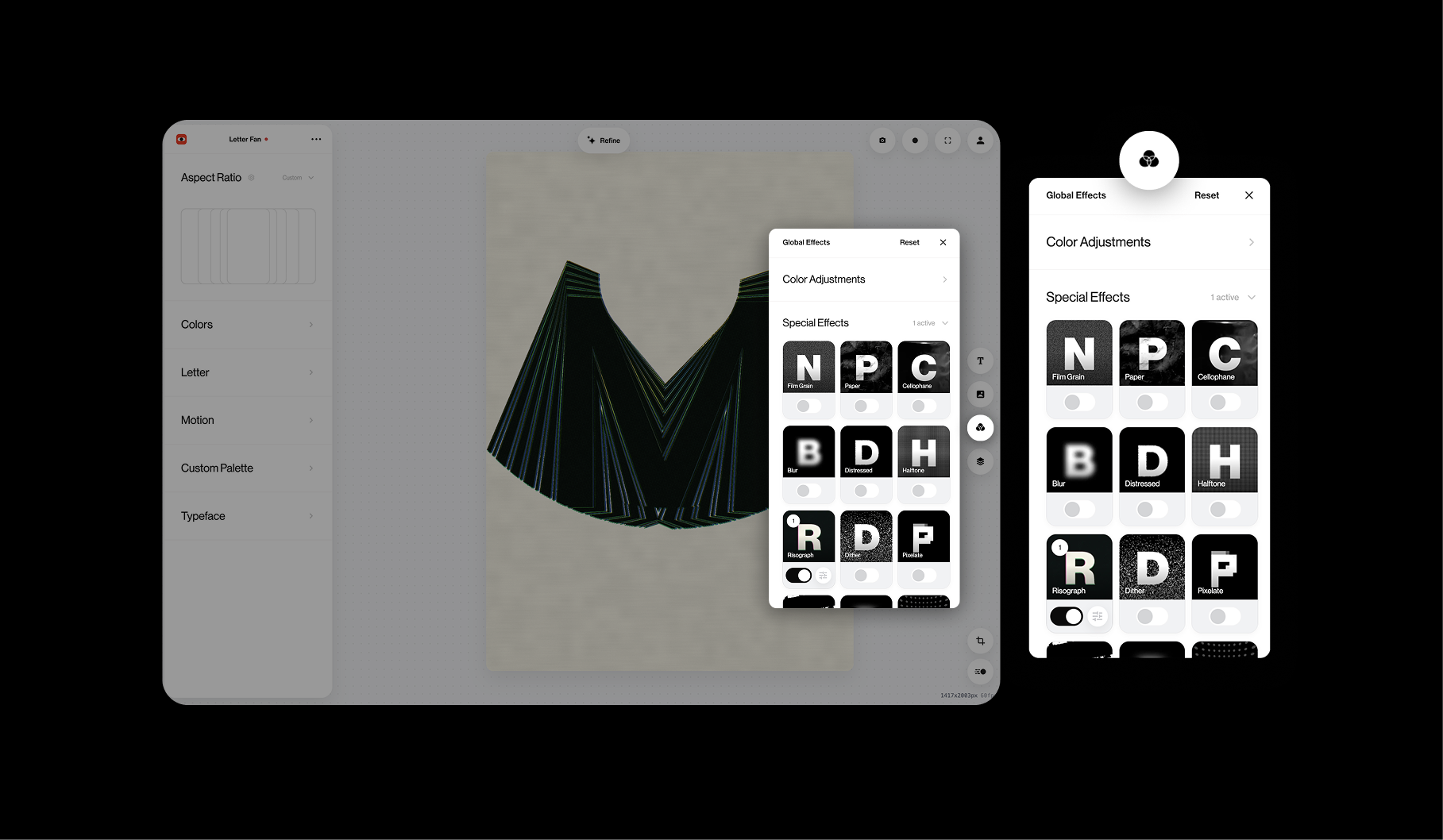
Effect order matters. A blur before a threshold can look different from a threshold before a blur. Reorder the stack when the result feels too flat, harsh, or muddy.
Protect performance and export quality#
Heavy blur, bloom, textures, displacement, feedback, or several stacked effects can reduce real-time performance. Test at the final resolution and on the computer that will record or present the visu.
When diagnosing a blank, slow, or unexpected result, disable effects one at a time. Compare the exported file with the Editor preview before committing to a long render or live performance.
Know when to update the visu#
Use a global effect when the treatment should cover the finished composition. Request an AI update when the effect needs to respond to internal geometry, individual particles, depth, media data, or a specific control inside the visual system.